
 EN
EN
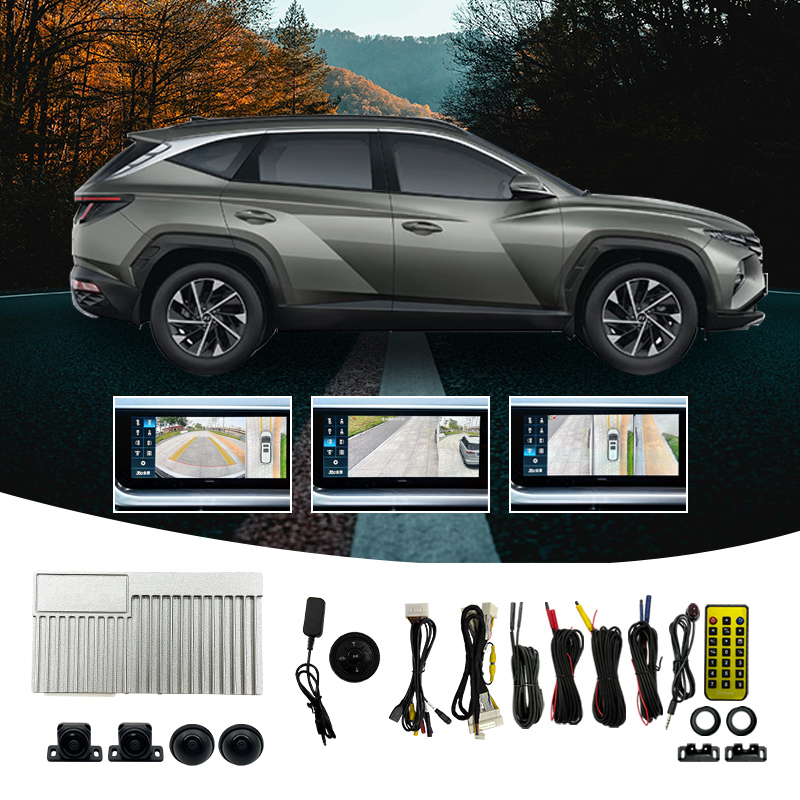
A 360 degree car camera has become one of the most sought-after upgrades for vehicles equipped with Android head units. As Android-based car screens grow more capable, drivers increasingly demand a 360 degree car camera system that takes full advantage of the platform's processing power, app support, and display quality. Integrating a 360 degree car camera with your Android screen is not simply about adding a camera — it is about unlocking a complete surround-view experience that transforms how you navigate, park, and monitor your vehicle.
This article explains how to maximize the integration of a 360 degree car camera with an Android car screen, what makes a 360 degree car camera compatible with modern Android systems, and why choosing the right 360 degree car camera hardware and app pairing determines your overall results. Whether you are upgrading a passenger vehicle or configuring a fleet unit, understanding the mechanics behind 360 degree car camera integration helps you make smarter decisions and avoid costly mistakes.
How Android Screens Power the 360 Degree Car Camera Experience
The Role of the Android Platform in 360 Degree Car Camera Performance
Modern Android car screens offer a significant advantage for 360 degree car camera systems because they run dedicated 360 applications natively. Unlike older head units, an Android screen can process 360 degree car camera feeds from four wide-angle lenses simultaneously and stitch them into a single bird's-eye surround view. This real-time image processing is what separates a true 360 degree car camera system from a simple multi-camera backup setup. The Android platform's open architecture means the 360 degree car camera app can be updated, customized, and fine-tuned without replacing hardware.
For a 360 degree car camera to perform at its best on an Android unit, the head unit must support the specific chipset the 360 degree car camera system requires. Many universal 360 degree car camera kits are engineered to work with popular Android chips such as the T5, TS10, TS18, and 7862 series. Confirming chipset compatibility before purchasing a 360 degree car camera kit prevents display errors, laggy stitching, and calibration failures that frustrate many first-time installers.
Lens Configuration and Image Stitching in a 360 Degree Car Camera System
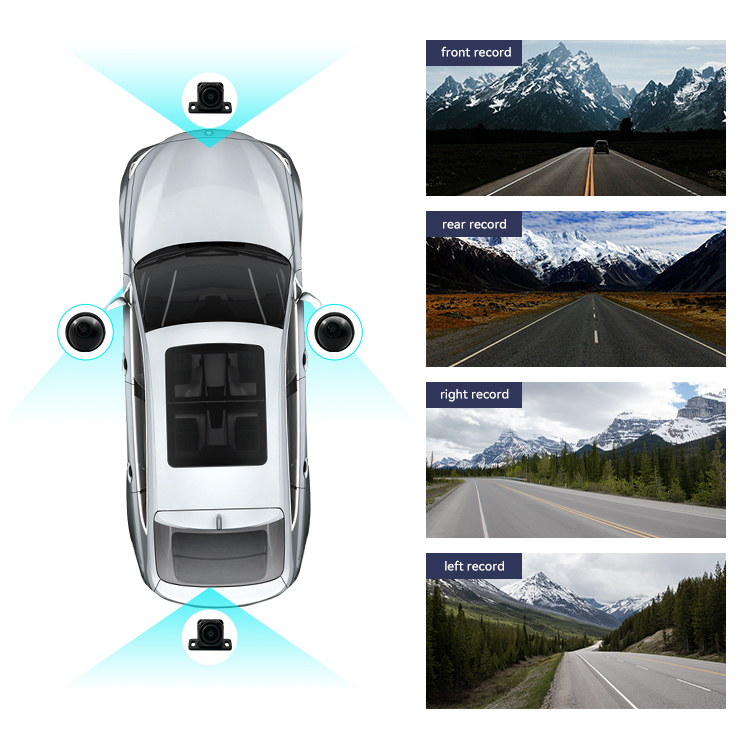
A standard 360 degree car camera system uses four fisheye lenses — positioned at the front, rear, and both sides of the vehicle — to capture overlapping wide-angle footage. The Android unit's 360 degree car camera application then stitches these four feeds into one seamless overhead view. The quality of this stitch depends on the resolution of each 360 degree car camera lens, the calibration data embedded in the 360 degree car camera app, and the processing speed of the Android chipset. A well-calibrated 360 degree car camera system should display clean seams, accurate proportions, and minimal distortion at all four junctions.
Key Factors That Maximize 360 Degree Car Camera Integration
Universal Compatibility and Half-Kit Design
One of the practical advantages of a universal 360 degree car camera half kit is its flexibility across different vehicle models and Android screen brands. A half kit typically supplies the four cameras and the cabling harness while relying on the Android unit to handle all image processing internally. This approach reduces the cost of the 360 degree car camera setup while delivering the same surround-view output as fully integrated factory systems. When selecting a 360 degree car camera half kit, confirm that the cameras carry adequate waterproof and wide-angle ratings so outdoor performance remains reliable in rain, low light, and direct sunlight.
A high-quality 360 degree car camera kit should also include clear wiring guides for each camera position. Poor harness routing is among the most common causes of image interference in a 360 degree car camera system. Shielded cables and secure connectors help the 360 degree car camera maintain signal integrity across the full length of the vehicle, which is especially important in larger vehicles where cable runs can exceed several meters.
Calibration and App Functionality for the 360 Degree Car Camera
Calibration is the defining step in any successful 360 degree car camera installation. The 360 degree car camera app on the Android screen uses a calibration mat or on-screen guide to map the precise position of each camera lens and compute the correct stitching parameters. A properly calibrated 360 degree car camera produces a seamless bird's-eye view where the four camera feeds align without visible gaps or overlapping distortion. Skipping or rushing the calibration process results in a 360 degree car camera image that appears skewed, misaligned, or stretched at the seams. Most Android 360 degree car camera apps allow recalibration at any time, which is useful if a camera is repositioned or replaced.
Practical Benefits of a 360 Degree Car Camera on Android Screens
Parking Safety and Blind Spot Awareness
The most immediate benefit of a 360 degree car camera is enhanced parking safety. The bird's-eye view generated by the 360 degree car camera eliminates the blind spots that mirrors and standard backup cameras cannot cover. Drivers can see the full perimeter of the vehicle on the Android screen in real time, making tight parking maneuvers far less stressful. A 360 degree car camera is particularly valuable in urban environments where parking gaps are narrow, pedestrian traffic is unpredictable, and low-speed collisions are common. The 360 degree car camera also assists with curb alignment, trailer hitching, and reversing into loading areas.
Dynamic View Switching and Driver Assistance Features
Advanced 360 degree car camera apps on Android platforms support dynamic view switching, allowing the driver to toggle between the full bird's-eye view, individual camera feeds, and split-screen displays. This flexibility makes the 360 degree car camera useful beyond parking — drivers can monitor side clearance while moving through narrow lanes or check the rear camera feed independently during highway driving. Some 360 degree car camera systems also support dynamic guidelines that adjust based on steering angle, providing an additional layer of precision during low-speed maneuvering. The combination of a well-matched 360 degree car camera and a capable Android head unit delivers a driver-assistance experience that approaches factory-fitted premium systems.
FAQ
Is a 360 degree car camera compatible with all Android head units?
Not all Android head units support a 360 degree car camera natively. Compatibility depends on the chipset inside the head unit. Most universal 360 degree car camera kits specify supported chipsets such as T5, TS10, TS18, or 7862. Always verify chipset compatibility before purchasing a 360 degree car camera kit to ensure the app and image processing functions work correctly.
How long does it take to install and calibrate a 360 degree car camera?
A full 360 degree car camera installation, including wiring all four cameras and running cables through the vehicle, typically takes two to four hours for an experienced installer. Calibration of the 360 degree car camera app adds another thirty to sixty minutes depending on the system. First-time installers should allow additional time to ensure each 360 degree car camera lens is positioned accurately before calibrating.
Can a 360 degree car camera be used while driving at normal speeds?
Yes, a 360 degree car camera can display its surround view at normal driving speeds, though its primary benefit is at low speeds during parking and maneuvering. Many 360 degree car camera apps on Android screens allow individual camera feeds to remain active at any speed, making the 360 degree car camera useful for lane monitoring and side-clearance checks. Some systems automatically activate the 360 degree car camera view when reverse gear or a turn signal is engaged.