
 EN
EN
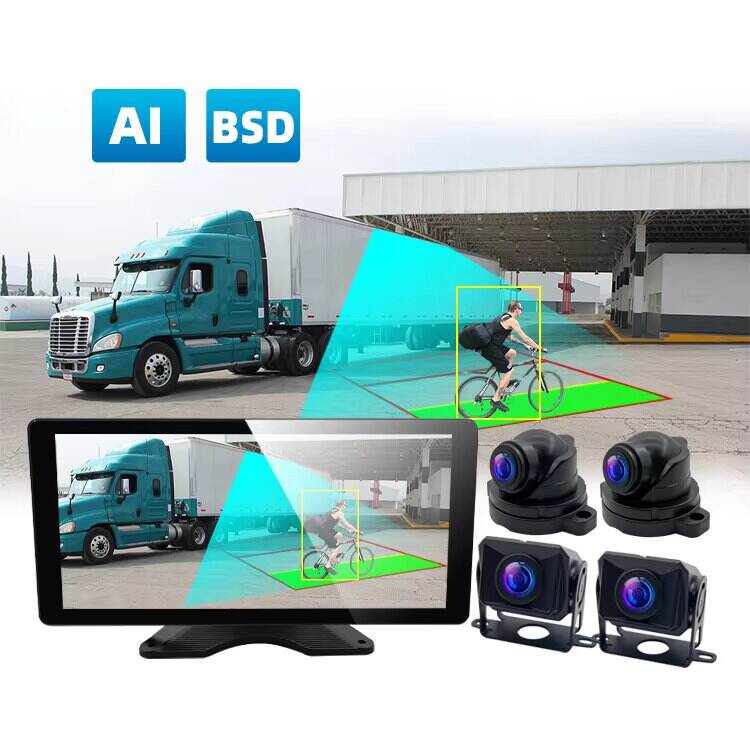
Diagnosing Power and Connectivity Failures in Truck DVR Camera Systems
Intermittent Power Loss: Causes and Voltage Stability Checks
A truck DVR camera system that shuts off randomly during a route usually points to a power issue—not a camera defect. Heavy-duty truck electrical systems inherently experience voltage fluctuations, and DVR units are especially sensitive to instability. The most common trigger for intermittent shutdowns is voltage dropping below the unit’s operational threshold—often due to an underperforming alternator, weak battery, or excessive load on the vehicle’s electrical network.
Use a digital multimeter to measure voltage directly at the camera’s power input while the engine is running. For a standard 12V system, stable operation requires a reading between 13.8V and 14.5V. Sustained drops below 11V typically force the DVR to power down as a protective measure. Consistent monitoring helps distinguish between a failing power source and a defective unit—enabling targeted repairs instead of unnecessary hardware replacements.
Faulty Wiring, Grounding, and Vibration-Induced Disconnections
Vibration from extended highway travel is a leading cause of physical connection failure in truck DVR camera systems. A compromised ground connection is the single most frequent reason for unexpected resets or boot failures. Inspect the ground wire’s attachment point on the chassis: even thin layers of rust or paint can break continuity. Next, examine the entire power run for signs of abrasion, kinking, or insulation wear—especially near suspension components or cab mounts. Route cables away from sharp metal edges and high-heat zones like exhaust manifolds. Apply dielectric grease to all connectors to inhibit corrosion, and secure plugs with locking clips or reinforced zip ties. A connection that functions reliably in the shop may fail within minutes on uneven terrain—proactive mechanical inspection prevents avoidable downtime.
Resolving Video Quality Degradation and Recording Gaps
Lens Fogging, Dirt Accumulation, and Environmental Exposure Effects
Environmental exposure remains the dominant contributor to degraded video quality in commercial truck DVR camera systems. Rapid temperature shifts cause condensation inside housings, while road dust, salt spray, and insect residue accumulate on lenses—blurring critical details before drivers even notice. These issues often surface only during post-incident review, when footage proves unusable for liability or safety analysis.
Preventive action is straightforward but essential: operators should inspect and clean lenses before each trip using microfiber cloths and approved lens solutions. For long-haul or extreme-climate fleets, specify weather-sealed enclosures rated IP69K or higher—and consider heated housings or anti-fog coatings where condensation is persistent. Such measures preserve optical clarity and eliminate recording gaps caused by obscured views.
SD Card Failure and Write-Speed Mismatch in Commercial Fleets
Recording gaps frequently stem from SD card limitations—not camera faults. Standard consumer-grade cards degrade rapidly under the constant overwrite demands of commercial DVR systems, leading to corruption, silent data loss, or fragmented files. High-endurance, industrial-grade cards rated UHS Speed Class 3 (U3) or higher are non-negotiable for fleet applications, as they ensure sustained write speeds matching the camera’s bitrate.
Improper formatting—especially using desktop operating systems instead of the DVR’s built-in utility—further increases failure risk. Fleet managers should mandate annual card replacement and leverage onboard diagnostic alerts (e.g., “card health warning” or “write error”) to flag degrading media before incidents occur. This disciplined approach ensures reliable, tamper-resistant recordings aligned with FMCSA evidentiary standards.
Updating and Stabilizing Truck DVR Camera System Software and Firmware
Outdated Firmware Causing Loop Recording Corruption
Outdated firmware is a silent but widespread cause of loop recording failure in truck DVR camera systems. When memory management routines become outdated, the system may misallocate storage space, skip overwrites, or corrupt file headers—resulting in missing footage during critical events. These gaps undermine incident reconstruction and expose fleets to compliance and liability risks.
Modern firmware updates address these vulnerabilities by refining overwrite algorithms, improving buffer handling during voltage dips, and hardening file-system recovery protocols. Because commercial trucks operate in electrically noisy environments, firmware optimized for heavy-duty use significantly boosts resilience. Fleet operators should implement a quarterly update schedule—verified via the system’s firmware version log—to maintain continuous, forensically sound recording.
GPS Sync and Timestamp Errors in ELD-Integrated Truck DVR Camera Systems
Precise time synchronization is mandatory for ELD-integrated truck DVR camera systems. GPS signal loss, antenna placement issues, or outdated firmware commonly cause timestamp drift—creating discrepancies between video evidence and ELD logs. Even minor offsets (e.g., 3–5 seconds) can invalidate event correlation during audits or litigation.
Recent firmware versions resolve this by strengthening NTP implementation, enabling faster satellite reacquisition, and supporting automatic clock calibration upon GPS lock. These improvements reduce long-term clock drift to under 100ms per week—well within FMCSA’s acceptable tolerance for synchronized logging. Prioritizing these updates ensures that video timestamps align seamlessly with ELD records, preserving the integrity of the entire compliance ecosystem.
Ensuring FMCSA Compliance Through Proper Truck DVR Camera System Integration
Proper integration of a truck DVR camera system directly supports compliance with Federal Motor Carrier Safety Administration (FMCSA) regulations—including Hours of Service (HOS), Electronic Logging Device (ELD), and maintenance reporting requirements. When configured correctly, the system captures driving activity, rest periods, vehicle condition, and incident context in a unified, time-stamped stream.
Direct integration with the fleet’s ELD creates a tamper-resistant audit trail: video segments auto-tag with corresponding HOS status (e.g., “on-duty not driving” or “sleeper berth”), reducing manual entry errors and strengthening defense against violation claims. Similarly, continuous exterior and interior footage provides objective verification of Daily Vehicle Inspection Reports (DVIRs), demonstrating that pre-trip checks were performed—even without paper documentation.
By connecting the DVR system to fleet management software, operators automate record retention, simplify roadside inspections, and minimize administrative penalties tied to incomplete or inconsistent paperwork. This level of integration doesn’t just meet minimum regulatory expectations—it transforms the DVR from a passive recorder into an active compliance asset.
FAQ
What causes intermittent power loss in truck DVR camera systems?
Intermittent power loss is often caused by voltage instability, which may stem from an underperforming alternator, weak battery, or excessive electrical load. Testing with a digital multimeter can help confirm the voltage levels at the power input.
How can video quality degradation be prevented in a truck DVR camera system?
To prevent video quality degradation, operators should clean lenses with approved solutions, use weather-sealed enclosures, and consider anti-fog or heated housings for extreme climates. Regular inspection is vital for long-term usability.
Why does my DVR system skip recorded footage?
Skipping footage commonly results from inadequate SD cards or outdated firmware. Using high-endurance, industrial-grade cards and keeping the firmware updated can resolve such issues.
What is the significance of firmware updates in truck DVR systems?
Firmware updates improve memory management, storage allocation, and buffer handling, ensuring reliable recording even during voltage fluctuations. Staying updated is critical for maintaining functional and compliant systems.
How can a DVR system ensure FMCSA compliance?
Proper integration with ELD systems and fleet management software helps maintain tamper-resistant records, automate compliance reporting, and simplify roadside inspections while addressing FMCSA regulations.
Table of Contents
- Diagnosing Power and Connectivity Failures in Truck DVR Camera Systems
- Resolving Video Quality Degradation and Recording Gaps
- Updating and Stabilizing Truck DVR Camera System Software and Firmware
- Ensuring FMCSA Compliance Through Proper Truck DVR Camera System Integration
-
FAQ
- What causes intermittent power loss in truck DVR camera systems?
- How can video quality degradation be prevented in a truck DVR camera system?
- Why does my DVR system skip recorded footage?
- What is the significance of firmware updates in truck DVR systems?
- How can a DVR system ensure FMCSA compliance?